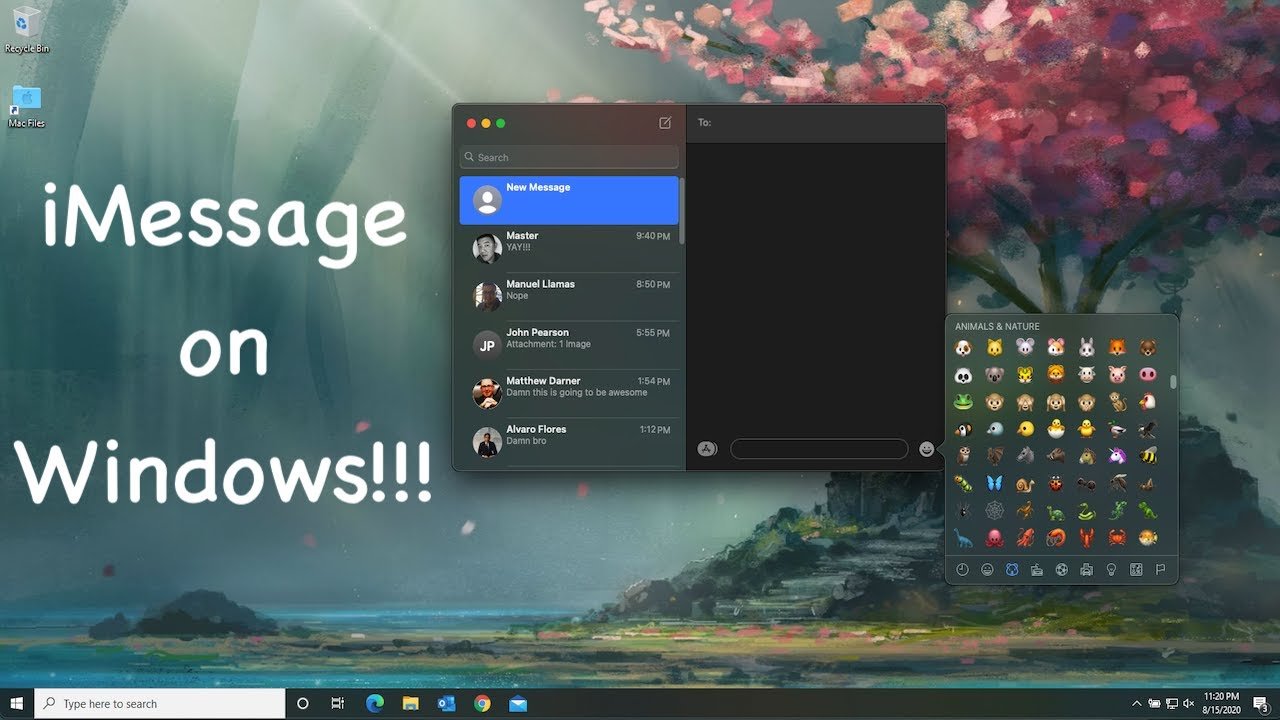
For years, Apple users have enjoyed the seamless messaging experience that iMessage provides, but Windows users have been left out in the cold. The proprietary nature of Apple’s ecosystem has created a significant barrier for those who want to communicate across platforms. However, as we move through 2026, the landscape has evolved considerably. Whether you’re a professional managing multiple devices, a student coordinating group projects, or simply someone who wants to stay connected with iPhone-using friends and family, getting iMessage on Windows has become more accessible than ever before.
Why Users Want iMessage on Windows
iMessage on Windows demand for iMessage on Windows stems from several compelling reasons. First and foremost, iMessage offers features that standard SMS simply cannot match. End-to-end encryption ensures that your conversations remain private and secure. Read receipts let you know when your messages have been seen. Typing indicators show when someone is composing a response. The ability to send high-quality photos and videos without compression is another major advantage that keeps users invested in the platform.
Beyond technical features, there’s a social element at play. In many regions, particularly in North America, iMessage has become the default communication method for iPhone users. Green bubbles versus blue bubbles might seem trivial, but for many people, it represents a real divide in their messaging experience. Group chats become fragmented when even one person lacks iMessage, as features like reactions, inline replies, and seamless media sharing break down.
For professionals who work across different operating systems, the need is even more pressing. You might have a powerful Windows workstation for development or design work but still carry an iPhone for its camera, app ecosystem, or simply personal preference. Being able to access your messages from your primary work machine eliminates the constant context switching between devices and improves productivity.
This article is published exclusively for readers of “Work Magazine” your trusted source for deep-dive consumer insights and industry analysis.
Official Options: What Apple Offers
As of 2026, Apple has not released an official iMessage client for Windows, and there’s little indication this will change in the near future. The company’s strategy has consistently focused on keeping its ecosystem exclusive to encourage hardware sales. While Apple did surprise many by releasing Apple Music and Apple TV apps for Windows in recent years, iMessage remains firmly locked to Apple devices.
The closest official solution is using iMessage through iCloud.com on a web browser, but this functionality remains limited compared to the full desktop experience Mac users enjoy. Apple’s web interface primarily focuses on iCloud Drive, Photos, Mail, and other services, but messaging continues to be absent from the browser-based offerings.
This lack of official support has created a gap in the market that various third-party solutions have rushed to fill, each with its own approach, advantages, and limitations.
Remote Access Solutions

One of the most reliable methods to get iMessage on Windows involves using your Mac as a server and accessing it remotely from your Windows machine. This approach requires you to own both a Mac and a Windows PC, but if you already have both devices, it provides a legitimate way to access Apple’s messaging service.
Chrome Remote Desktop offers a straightforward free option. By installing the Chrome Remote Desktop extension on your Mac and accessing it through Chrome on Windows, you can control your Mac entirely, including the Messages app. The setup takes just a few minutes, and the connection is generally stable and responsive, especially on a good internet connection. The downside is that you’re essentially viewing your entire Mac screen rather than having a native Windows experience, and your Mac needs to remain powered on and connected to the internet.
Microsoft Remote Desktop provides another avenue, offering potentially better performance and integration with Windows. If you enable remote access on your Mac through System Settings, you can connect using Microsoft’s Remote Desktop app on Windows. This solution works particularly well on local networks and can even function over the internet with proper port forwarding or VPN configuration.
For those seeking a more polished experience, paid services like Screens or AnyDesk offer enhanced features such as better compression, easier setup, and improved performance over slower connections. These applications are designed specifically for remote access and often provide a smoother experience than free alternatives.
The main limitation of all remote access solutions is dependency. Your Mac must be running and connected for you to access iMessage on Windows. If you’re traveling with just your Windows laptop or if your Mac experiences any issues, you lose access to your messages entirely.
Beeper: The All-in-One Messaging Hub
Beeper has emerged as one of the most popular solutions for accessing iMessage on Windows in 2026. This application takes a unique approach by aggregating messages from multiple platforms into a single, unified inbox. Beyond iMessage, Beeper supports WhatsApp, Telegram, Signal, Discord, Slack, and numerous other messaging services.
iMessage on Windows technical implementation of Beeper for iMessage works through a self-hosted bridge that you run on a Mac, or alternatively, Beeper can provide access through their cloud infrastructure using jailbroken devices. The setup process has been streamlined significantly since the service’s early days. After creating an account and installing the Beeper app on Windows, you follow guided instructions to establish the connection to iMessage.
What makes Beeper particularly appealing is its consistent user interface across all messaging platforms. Instead of juggling multiple applications and windows, you get a single experience for all your conversations. The Windows app feels native, with proper notifications, keyboard shortcuts, and integration with the operating system.
However, Beeper does come with considerations. The service operates on a subscription model, with pricing that reflects the complexity of maintaining bridges to multiple messaging platforms. There have also been occasional disruptions when Apple updates iOS or macOS, as these updates can temporarily break the connection until Beeper releases a fix. Privacy-conscious users should also evaluate their comfort level with messages being routed through third-party infrastructure, even though Beeper emphasizes its commitment to encryption and security.
Phone Link and Your Phone Companion
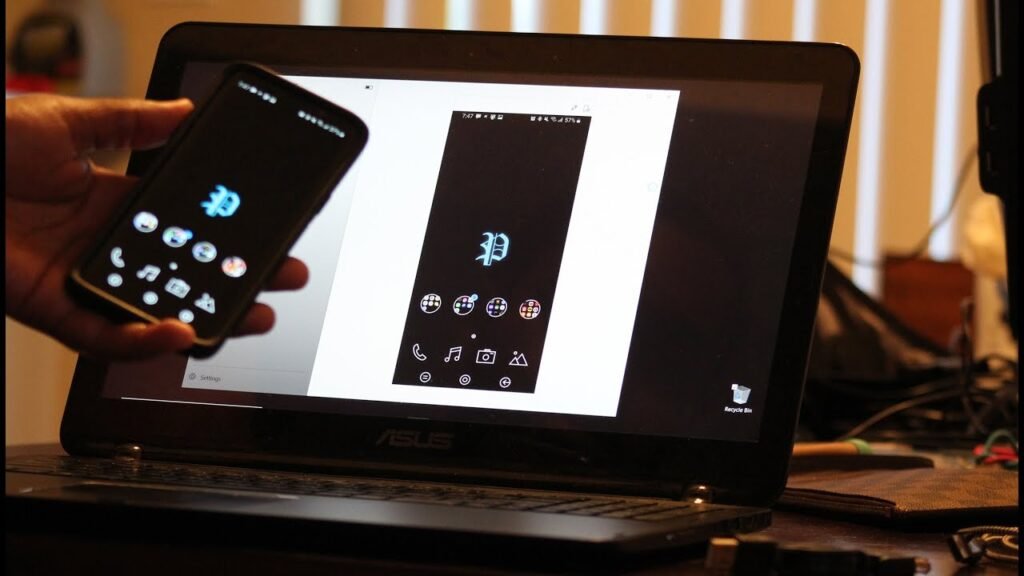
Microsoft’s Phone Link app, formerly known as Your Phone, has evolved significantly and now offers limited messaging capabilities for iPhone users. While this doesn’t provide true iMessage on Windows functionality, it does allow you to send and receive standard SMS and MMS messages from your Windows PC, with your iPhone acting as a relay.
iMessage on Windows setup is straightforward for anyone in the Microsoft ecosystem. Install Phone Link on your Windows computer and the companion app on your iPhone, then follow the pairing process. Once connected, you can view recent conversations, send text messages, and even make and receive calls from your PC. The integration extends to notifications, so incoming messages appear in your Windows notification center.
The critical limitation is that Phone Link only handles SMS and MMS, not actual iMessage conversations. This means your messages will appear as green bubbles to iPhone recipients, and you won’t get access to iMessage-specific features like reactions, effects, or high-quality media sharing. Group chats involving iMessage users will also have degraded functionality.
For users who primarily need basic texting capability and don’t rely heavily on iMessage’s advanced features, Phone Link provides a legitimate, free, and officially supported solution. It works especially well if you already use other Microsoft services and appreciate the ecosystem integration.
BlueBubbles: The Open-Source Alternative
BlueBubbles represents the open-source community’s answer to getting iMessage on Windows. This project requires you to set up a server on a Mac, which then allows Windows clients to connect and interact with iMessage. The entire codebase is open source, which appeals to technically minded users who want transparency about how their messages are being handled.
iMessage on Windows up BlueBubbles involves more technical steps than commercial alternatives. You need to install and configure the server software on a Mac, ensure it has a reliable internet connection, and then install the BlueBubbles client on your Windows machine. The project documentation provides detailed guides, but some networking knowledge helps, especially if you want to access your messages remotely rather than just on your local network.
Once configured, BlueBubbles offers a surprisingly complete iMessage experience. You can send and receive messages, view conversations in threads, share photos and videos, and even access some of the more advanced features like reactions and effects. The Windows client has a modern interface that feels at home on the platform, with support for dark mode, notifications, and keyboard navigation.
iMessage on Windows open-source nature means BlueBubbles doesn’t charge for the software itself, though you might choose to support the developers through donations. The tradeoff is that you’re responsible for maintaining your own setup, troubleshooting issues, and ensuring your Mac server remains operational. For technically capable users or those already running a home server setup, BlueBubbles provides an excellent free option.
AirMessage: Another Open-Source Contender
Similar to BlueBubbles, AirMessage offers an open-source solution for accessing iMessage on Windows. The architecture is comparable: a server component runs on your Mac, and a client application on Windows connects to that server to send and receive messages.
AirMessage distinguishes itself through its focus on simplicity and ease of use. The setup process has been refined to be as straightforward as possible, with clear instructions and helpful error messages if something goes wrong. The Windows client features a clean, Material Design-inspired interface that some users find more visually appealing than alternatives.
One of AirMessage’s strengths is its active development community and responsive support channels. The developers frequently release updates to improve compatibility, add features, and fix bugs. The project also offers both local network and internet-based connectivity, with optional cloud routing through AirMessage’s servers if you prefer not to configure port forwarding on your own network.
iMessage on Windows other server-based solutions, AirMessage requires keeping your Mac running continuously for full functionality. Some users set up an old Mac Mini as a dedicated iMessage server, which works excellently for this purpose and consumes minimal power. The software itself is free, though the developers offer optional paid tiers that provide enhanced features like improved reliability for remote access and priority support.
Cloud-Based Services and Security Considerations

Several cloud-based services have emerged claiming to offer iMessage on Windows without requiring you to own a Mac. These services typically work by providing access to shared Mac infrastructure in the cloud, where your Apple ID is logged in to route messages through their systems.
While technically functional, these services raise significant security and privacy concerns. You’re essentially entrusting a third party with your Apple ID credentials and access to all your messages. Even if the service promises not to store or access your data, there’s an inherent risk in sharing such sensitive login information. Apple’s terms of service also prohibit this type of credential sharing, which could potentially result in your account being locked or restricted.
iMessage on Windows most users, the security risks of cloud-based services outweigh the convenience. If you don’t own a Mac and want to access iMessage from Windows, investing in an inexpensive used Mac Mini to run as a server for BlueBubbles or AirMessage is a safer long-term solution than trusting your credentials to an unknown third party.
The Future of Cross-Platform Messaging
Looking ahead, the messaging landscape continues to evolve. Apple’s adoption of RCS (Rich Communication Services) support in iOS represents a significant shift, though it doesn’t solve the iMessage exclusivity issue. RCS provides many iMessage-like features for conversations with Android users but doesn’t extend iMessage functionality to Windows.
iMessage on Windows European Union’s Digital Markets Act has put pressure on Apple to open up its platforms, and messaging interoperability is specifically mentioned in the regulations. Whether this will result in official iMessage support for non-Apple platforms remains to be seen, but the regulatory environment is certainly pushing in that direction.
In the meantime, users who need iMessage on Windows have more options than ever before. Each solution involves compromises, whether that’s requiring additional hardware, paying subscription fees, or accepting some technical complexity. The right choice depends on your specific needs, technical comfort level, and how central iMessage is to your daily communication.
Choosing the Right Solution for You
When selecting a method to access iMessage on Windows, consider these factors. If you already own a Mac and primarily work at home or in an office, remote access solutions provide the simplest setup with complete functionality. For users who want a polished, unified messaging experience and don’t mind a subscription fee, Beeper offers excellent value. Those with technical skills who value open-source software and don’t want ongoing costs should explore BlueBubbles or AirMessage.
iMessage on Windows quest to use iMessage on Windows ultimately reflects the broader tension in today’s tech ecosystem between platform exclusivity and user freedom. While Apple has legitimate reasons for maintaining a closed ecosystem, users increasingly expect their digital tools to work seamlessly across whatever devices they choose to use. Until Apple officially addresses this demand, third-party solutions will continue to fill the gap, each offering their own balance of convenience, functionality, and compromise.
About the Author